
Shaxi Driver App
Drive and earn with Shaxi.
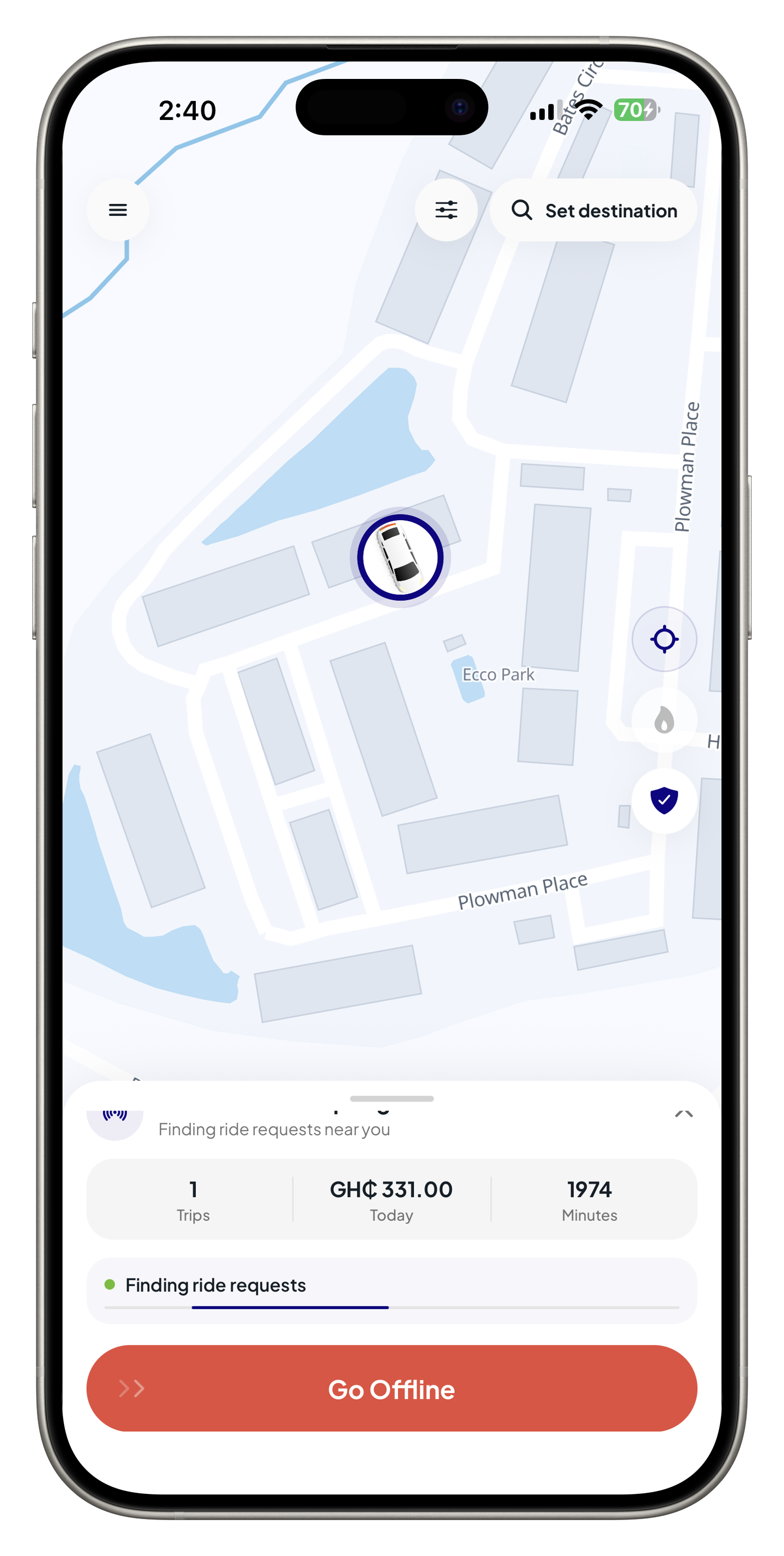
Download the Shaxi Driver app, go online when you are approved, receive ride requests near you, navigate trips, and track today’s earnings and driver minutes.
Trips
Accept nearby ride requests
Earnings
Track daily trip income
Minutes
See driver time balance
Driver features
Built for the way drivers work.
Shaxi keeps the driver workflow clear: stay available, receive rides, know your route, and keep the important account checks visible.
Go online when ready
Start and stop availability from the driver app so requests only come when you are ready to drive.
Receive ride requests
See nearby ride requests with pickup context and respond quickly from the app.
Navigate each trip
Use map context for pickup, dropoff, and route awareness throughout the ride.
Track earnings
View today’s trip activity and earnings without digging through reports.
Manage driver minutes
Keep your driver time balance visible so you know when to renew before going online.
Safety and support
Get support paths for trip issues, account questions, and onboarding help.
Accept ride requests
Decide with the trip details in front of you.
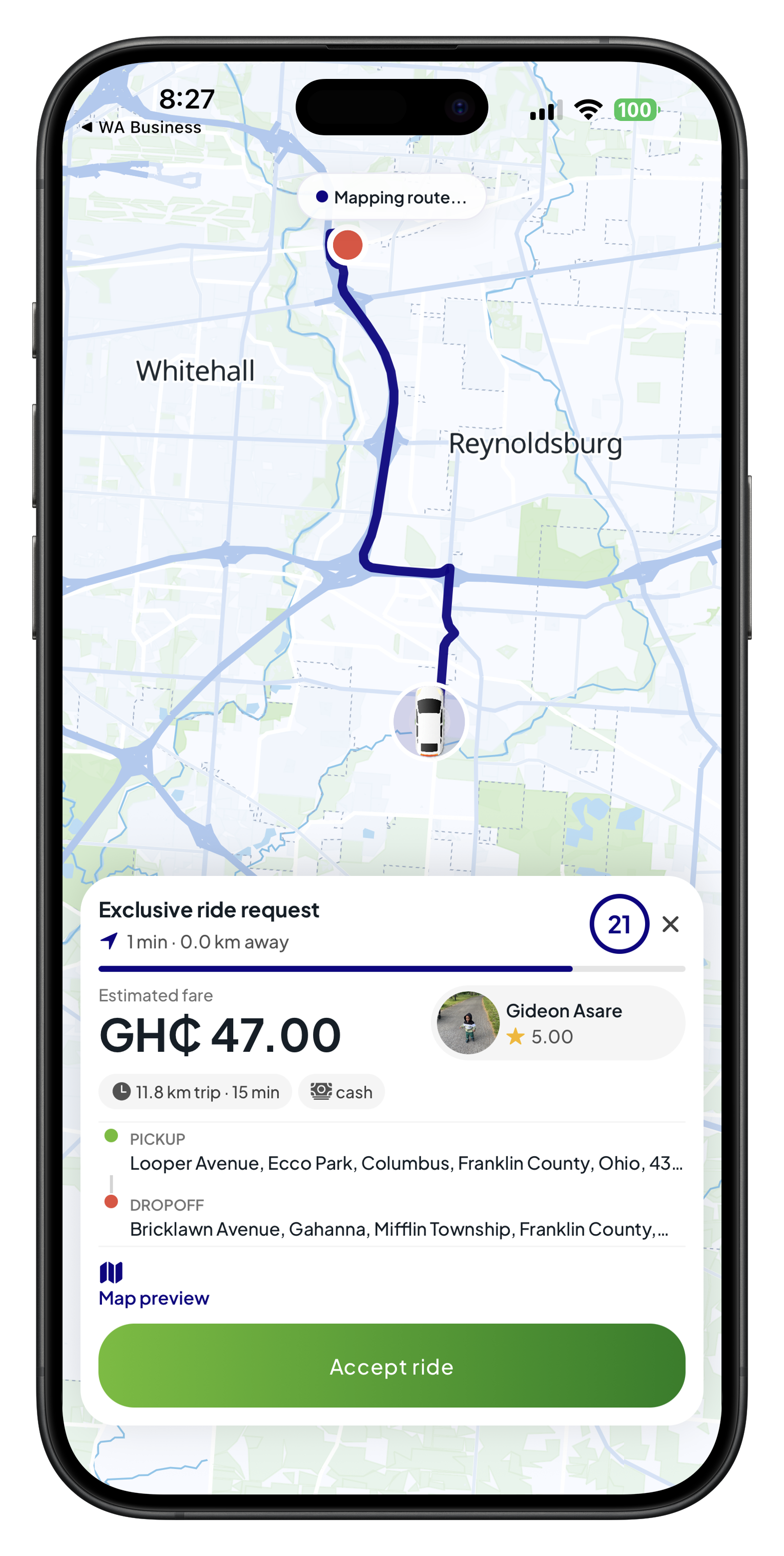
Know the fare, route, distance, rider, and payment type before accepting. The driver app gives you the pickup, dropoff, rider rating, and countdown in one view.
Fare and payment
See estimated fare and payment type before you accept.
Pickup and dropoff
Review the route preview and trip distance quickly.
Rider context
Check rider name, rating, and request timing.
Fast action
Accept confidently or let the request expire.
Onboarding
What happens after you get started.
Driver accounts are reviewed before going online. Download the driver app, create or sign in, then complete the required uploads and vehicle setup.
Download the driver app
Install the Shaxi Driver app from the App Store or Google Play when your store link is available.
Create or sign in
Use your Shaxi account and start the driver application from the driver app.
Upload driver documents
Add your profile photo and driver license images for review.
Add your vehicle
Enter vehicle details and upload required vehicle documents.
Wait for approval
Admin review confirms documents, vehicle status, and driver readiness.
Start accepting rides
Once approved and active, go online and begin receiving requests.
Inside the app
See the work that matters while you are online.
Live map
Stay oriented around your current location and driving area.
Ride request state
Know when the app is searching for nearby requests.
Today’s activity
Review trips, earnings, and remaining minutes in one glance.
Ready to start?
Download the Shaxi Driver app.
Install the app, complete your driver documents and vehicle setup, and wait for approval before going online.